All Modules
Sales & Order Management
Product Catalogue & Variant Designer
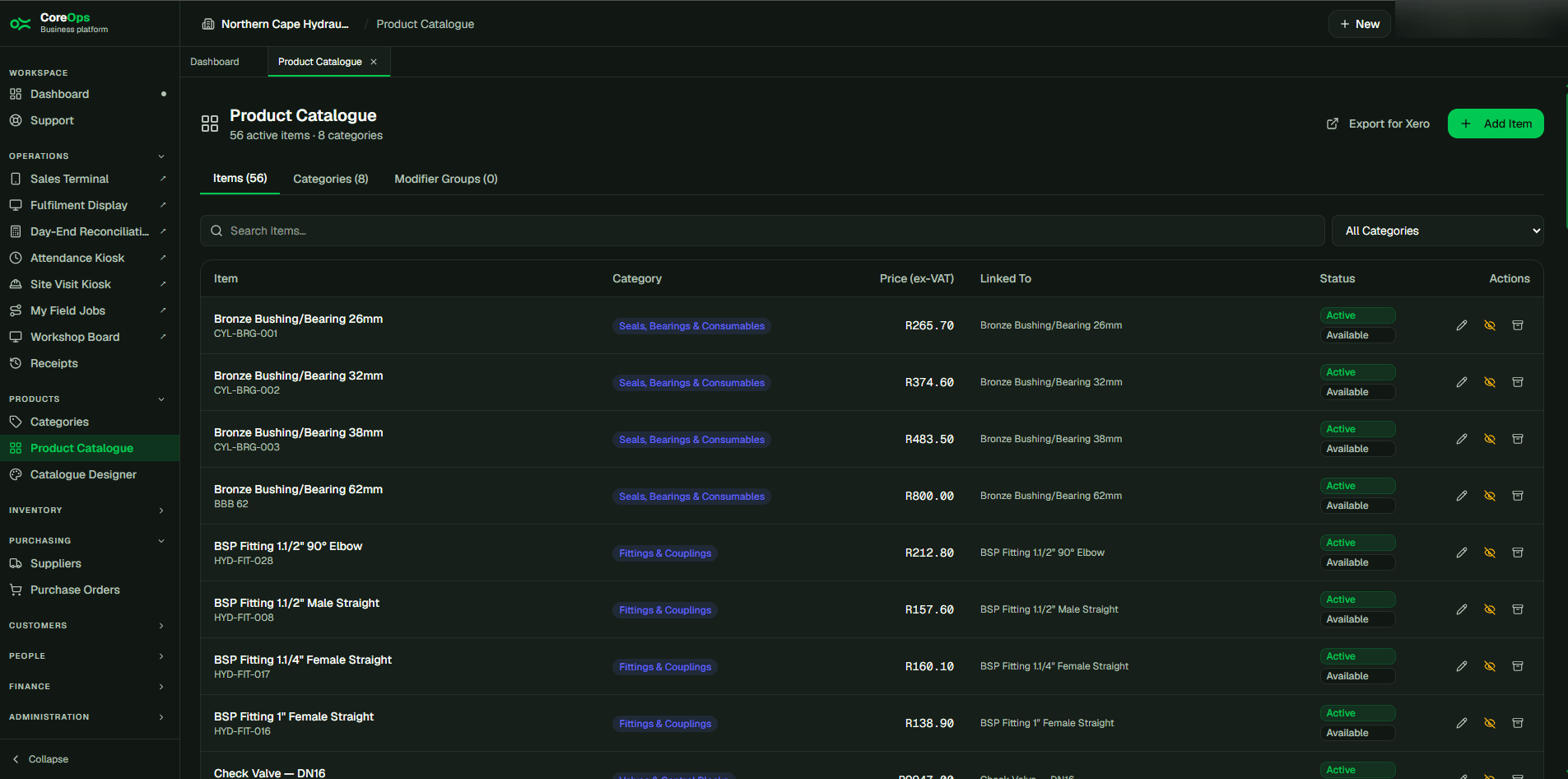
Categories, items, variants, and configurable options — with a visual designer for exactly how the sales screen looks.
coreopsapp.com — Product Catalogue
Key Features
- Radio (single-select) and checkbox (multi-select) option groups with max-selection limits
- Price levels and variants per item
- Visual catalogue designer, separate from raw item setup
- Time-boxed specials and discount pricing on individual items
- A mobile Register Barcodes screen: scan a product with a phone camera and it saves instantly, then auto-advances to the next unregistered item — built for working through hundreds of SKUs fast, with a manual-entry fallback and CSV bulk import for a supplier barcode list
- A recipe-based item automatically resolves its barcode from its Bill of Materials’ output product, so a pre-packaged item made in-house scans at the till exactly like one bought in
- Bulk Print Barcodes: select any number of stock items — including raw materials with no sellable menu entry — and print shelf labels for all of them in one job, with per-item quantity, roll or A4 sticker sheets, an optional price, and one click to create an internal barcode for anything still missing one
- Upload a product image per item — one at a time on the item itself, or in bulk with drag-and-drop files automatically matched to items by SKU or name
Benefits
- Change what the sales screen shows without touching a spreadsheet
- Consistent pricing and product options across every location
More in Sales & Order Management
Sales & Order Management
Sales Terminal & Trade Counter
A touch-optimised point-of-sale for a trade counter, showroom, or retail branch — or a scan-first till for a high-SKU retailer. Same order, same ledger, either way.
View ModuleSales & Order Management
Fulfilment Display
A live fulfilment or dispatch queue that updates the instant an order is placed — no printed pick slips, no shouting across the floor.
View ModuleSales & Order Management
Receipts, Printing & Offline Resilience
SARS-compliant tax invoice numbering, thermal receipt printing, and a till that keeps working when the connection drops.
View Module